Could we make it more flexible? I wanted to change the custom email template subject and body regularly. I waited for a minute and confirmed to my customer that indeed it was possible.
As a web application developer, I have always found the Joomla mailing capability a charm. I could easily integrate it by writing a couple of statements. But, honestly, when did the customer want a simple solution?
My customer requests varied a lot. Some required a simple custom email template, and others requested a complex template with varied data. I delivered them all. I could tell you it was not easy work. I worked through multiple solutions to support it.
But something changed recently.
On Joomla 5.3 (April 2025), the community released its major upgrade. I was more interested in it than any other change. Joomla allowed an administrator (most likely a non-technical person) to customize the outgoing Joomla mail template. The administrator could also use rich HTML formatting.
My job was to enable it for my custom extension.
Joomla mail template support in a custom extension:
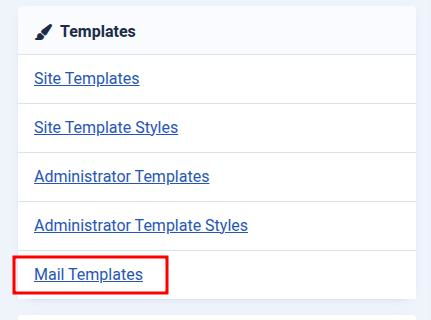
I was disappointed as the administrator could not create a custom mail template through UI. But the administrator could only review all existing mail templates on the System > Mail templates page. See below.
But I could easily integrate the custom mail template programmatically. The Joomla mail template API gave three methods: createTemplate, updateTemplate, and deleteTemplate. I knew what I could do with them.
I knew the Joomla extension installer script could execute a custom script during its life cycle for different events like;
- It could execute the install method if an administrator installed a new extension.
- It could execute the update method if an administrator updated an existing extension.
- It could execute the uninstall method if an administrator uninstalled an existing extension.
I opened my code editor and wrote the following code lines for my custom component: com_variety.
public function install(InstallerAdapter $adapter): bool
{
	$created = MailTemplate::createTemplate("com_variety.send_outgoing_email", "A good subject line", "Message body with some good examples.", ["tag_1", "tag_2"], "");

	return $created;
}

public function update(InstallerAdapter $adapter): bool
{
	$created = true;
	$mailTemplate = MailTemplate::getTemplate("com_variety.send_outgoing_email", "");
	if ($mailTemplate == null) {
		$created = MailTemplate::createTemplate("com_variety.send_outgoing_email", "A good subject line", "Message body with some good examples.", ["tag_1", "tag_2"], "");
	}
	return $created;
}

public function uninstall(InstallerAdapter $adapter): bool
{
	$deleted = MailTemplate::deleteTemplate("com_variety.send_outgoing_email");
	return $deleted;
}
In short, my custom script could create custom mail templates on install and update event calls. And it could remove the mail template during the uninstall event call.
It zipped the extension and installed it on the test server. Succeed. I could see my custom mail template in the administrator list.
An administrator could start overriding all the defaults here onwards.
Change Joomla mail template subject and body defaults:
An administrator could override the Joomla mail template subject and body (plain or HTML) text information. He could use the provided information options to place the dynamic information. He could navigate to System > Mail Template and found the required mail template in the list.
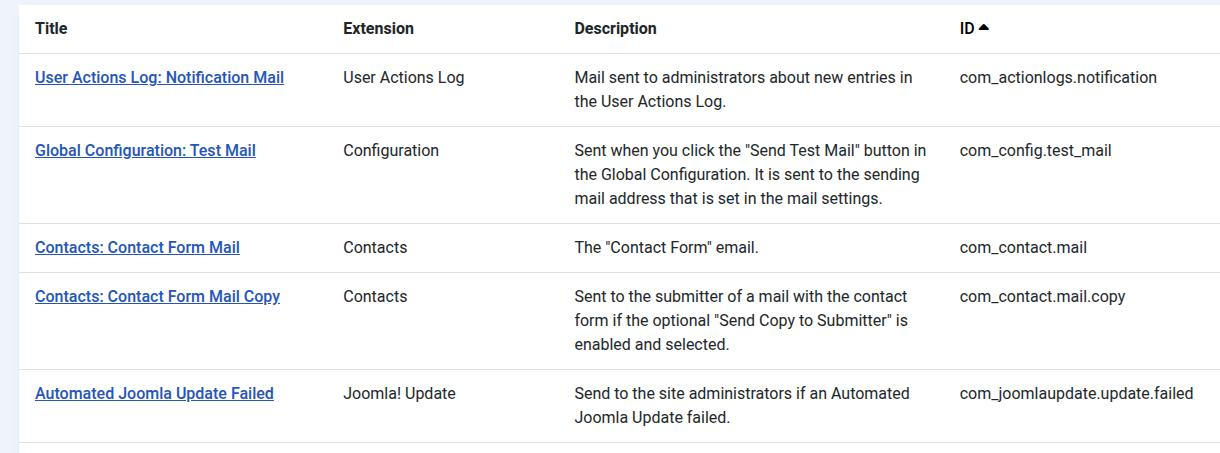
The administrator could click any template title to manage it further.
But I found a small catch or a missing detail. Internally, the Joomla mail template did not override the default template that I provided. It duplicated the mail template for the website language.
For example, that website’s default language was en-GB. Joomla overrode the template for the language, rather than the default template. I agreed on this approach. It gave them the flexibility to support multiple language overrides.
Multi-language Joomla mail template support:
Fortunately, this web application supported multiple languages, and Joomla natively provided a good way to override any mail template in another language. See below.
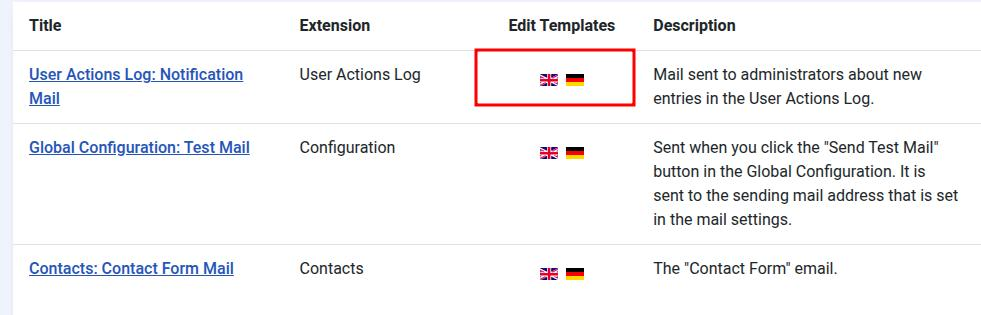
The administrator could click the relevant country flag and override the mail template. All I had to do was add language translation strings.
I changed my code lines to;
public function install(InstallerAdapter $adapter): bool
{
	$created = MailTemplate::createTemplate("com_variety.send_outgoing_email", "COM_VARIETY_SEND_OUTGOING_EMAIL_SUBJECT", "COM_VARIETY_SEND_OUTGOING_EMAIL_BODY", ["tag_1", "tag_2"], "");

	return $created;
}

public function update(InstallerAdapter $adapter): bool
{
	$created = true;
	$mailTemplate = MailTemplate::getTemplate("com_variety.send_outgoing_email", "");
	if ($mailTemplate == null) {
		$created = MailTemplate::createTemplate("com_variety.send_outgoing_email", "COM_VARIETY_SEND_OUTGOING_EMAIL_SUBJECT", "COM_VARIETY_SEND_OUTGOING_EMAIL_BODY", ["tag_1", "tag_2"], "");
	}
	return $created;
}

public function uninstall(InstallerAdapter $adapter): bool
{
	$deleted = MailTemplate::deleteTemplate("com_variety.send_outgoing_email");
	return $deleted;
}
And two more language strings in the com_variety.ini file;
COM_VARIETY_MAIL_SEND_OUTGOING_EMAIL_TITLE="An eye catching subject"
COM_VARIETY_MAIL_SEND_OUTGOING_EMAIL_DESC="A good message body"
I finished my work. I had to update my custom installation script with a couple of statements to get my mail template. Joomla did all other things flawlessly.